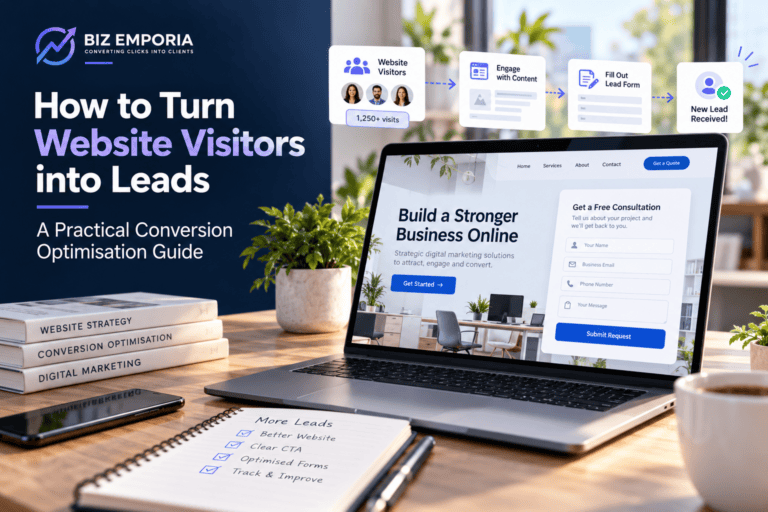
How to Turn Website Visitors into Leads: A Practical Conversion Optimisation Guide
Every business with a website eventually runs into the same wall. Traffic’s coming in fine, but the leads just aren’t following it. That gap between the two is a conversion problem, and conversion problems, unlike a lot of marketing headaches, usually trace back to specific, fixable causes.
Most guides on this subject are heavy on theory and light on what actually needs to change. This one’s built differently. The focus here is practical, what to look at, what to change, in what order, and how you’ll know whether the change actually worked. If you’ve already worked out why your website has traffic but no leads, this is the implementation guide that follows from that diagnosis.
Conversion rate optimisation is the discipline of nudging up the percentage of visitors who take a meaningful action, filling a form, booking a call, downloading something worthwhile. It’s really the engine behind sustainable website lead generation, since it’s one of the more commercially efficient investments a business can make, quietly compounding the return on every other marketing activity already running underneath it.
Start With the Pages That Actually Matter
Before touching anything, work out where the effort is going to pay off.
Not every page on a site deserves equal attention here. A blog post attracting people who are simply researching serves a different purpose from a service page reaching visitors ready to hire. Start conversion rate optimisation with pages attracting high-intent visitors, where even a small improvement can have a bigger commercial impact.
A few ways to find those pages. Open Google Analytics, filter organic traffic by landing page, and sort by sessions descending. Then cross-reference those pages against their individual conversion rates, the ones with heavy traffic and a weak conversion rate relative to that traffic are where the biggest gap is hiding. Check Search Console too, for the actual queries driving traffic to each page, since commercial-intent queries like “best X for Y” or “how to hire X” signal visitors much closer to a decision than someone arriving from a purely informational search. And pull conversion rate on paid traffic separately, since paid clicks carry explicit intent and should convert noticeably above your site average. If they don’t, the landing page is where the problem lives.
What comes out of this is a prioritised list. Start at the top of it.
Fixing the Messaging So the Right Visitor Feels Immediately Addressed
Interested visitors often leave when a page fails to make its relevance obvious. After reading the headline, they should be able to tell quickly: is this for someone like me, and does it address the problem I came here to solve?
When either answer is unclear, most visitors won’t hang around to figure it out. They’ll simply return to their search and consider the next option.
Rewriting headlines for actual relevance. A headline describing the business underperforms one addressing the visitor’s situation, and this single shift, from business-centric to visitor-centric, is probably the highest-impact change most sites can make without touching a line of code.
A headline that converts tends to follow a pattern: for whom, what problem, what changes. Something like, “For B2B companies spending on ads but not generating pipeline, we rebuild the messaging and landing page structure that converts paid traffic into qualified sales conversations.” Every phrase in there is earning its place. “For B2B companies” names the audience. “Spending on ads but not generating pipeline” names the exact problem in the visitor’s own words. “We rebuild the messaging and landing page structure” names the work. “Converts paid traffic into qualified sales conversations” names the outcome.
A visitor matching that description reads it and feels genuinely seen. One who doesn’t match self-selects out, which is actually the right outcome, since a headline trying to speak to everyone ends up landing with nobody.
Matching the page to whatever the traffic source promised. Every channel sending traffic sets an expectation before the visitor ever lands. The page needs to fulfil that expectation the instant they arrive.
Traffic Source | Expectation Set | Page Must Open With |
Google Ad: “email marketing for SaaS startups” | A service specifically for SaaS email marketing | A headline confirming that exact expertise |
Organic search: “how to reduce cart abandonment” | Useful info on that topic | The answer, directly |
Retargeting ad: “still thinking about X?” | Continuation of a prior interaction | Recognition of that context, not a cold intro |
LinkedIn post about B2B lead generation | Content matching that topic | A page consistent with it |
When the opening content doesn’t match what the source promised, the visitor hits a mismatch, and that mismatch breeds doubt fast. Auditing your major traffic sources against the first visible content on the landing page usually surfaces mismatches quietly costing conversions every single day.
Rebuilding Landing Pages Around One Single Goal
A landing page can’t do everything well at once. Trying to rank for SEO, tell the company story, promote every service, and generate leads usually leaves the page without a clear purpose. Good conversion rate optimisation means deciding what matters most for that traffic and building the page around it. Strong website lead generation starts with giving visitors one clear path to follow.
A landing page built specifically for conversion, the practical core of most conversion rate optimisation work, has a clear structure that every element serves. Above the fold, everything should point one direction, a headline matching the visitor’s intent and the traffic source it came from, a subheading carrying the key proof point, one primary CTA that’s specific about what happens next, and a single trust signal, a logo strip, a review badge, one testimonial line, nothing more.
Keep the body of the page lean and purposeful. State who the offer is for and what they receive, use two or three proof points backed by evidence, add a named testimonial showing the company and outcome, and give visitors a final CTA that approaches the action from a slightly different angle.
What actually needs to go is full site navigation letting the visitor wander off, secondary CTAs, long company histories, and generic testimonials without name or outcome. Internal links to related content, like the common reasons visitors leave without converting, work fine as secondary options for people not quite ready for the primary action, giving them somewhere useful to go instead of just abandoning the page entirely.
Writing CTAs That Remove Uncertainty Instead of Adding to It
A CTA button sits at the very end of whatever persuasion journey happened above it. Everything on the page was building toward this one click. The exact wording on the button, and what surrounds it, decides whether that whole journey converts or stalls right at the last step.
The language that actually converts answers three unspoken questions, what am I committing to, what do I get, and what happens the instant I click? Weak CTA language leaves all three hanging, “Submit,” “Contact Us,” “Get Started,” “Learn More” answer nothing. Strong CTA language closes the gap, “Book a free 20-minute strategy call” tells you the format, the duration, and the cost in one line. “Get your free website conversion audit” tells you exactly what you’re receiving. “See how we work with companies your size” promises relevance before you’ve even clicked. “Download the guide, no email required” removes the one objection most people have before they’ve even reached for the button.
The copy immediately surrounding a CTA carries just as much weight as the button label itself. Visitors sitting right on the edge of converting need one more small push, usually in the form of an objection getting named and dismissed directly.
Final Objection | Surrounding Copy That Addresses It |
“I’m not ready for a sales call” | “No commitment, no pitch. Just a conversation about whether we’re a fit.” |
“I don’t know if this applies to my industry” | “We work specifically with [industry type]. See examples from companies like yours.” |
“What if I’m wasting my time” | “If we’re not the right fit, we’ll tell you directly and point you elsewhere.” |
“I’m not sure about the price” | “We share indicative pricing on the call. No surprises.” |
Naming the objection right there in the copy next to the CTA takes away exactly the friction that was holding the conversion back.
Fixing Lead Forms: Less Really Is More Here
The standard advice on contact forms, cut the number of fields, is correct and routinely ignored, mostly because the pressure to add fields comes from genuinely reasonable places inside the business. Sales wants to walk into the first call pre-qualified. Marketing wants to segment leads by company size. The owner wants to know how someone heard about the company in the first place.
All of that’s understandable. All of it can also be gathered after the form’s submitted, on the first call, or through a follow-up email. Gathering it on the form itself just shrinks how many people ever reach that first call at all.
Keep three fields and nothing more as your baseline, first name, email address, and one context field, either a short “tell us about your situation” box or a single routing question that helps assign the lead correctly. Before keeping any field beyond that, ask honestly whether the first conversation would actually be worse without it. If the answer’s no, cut it.
Phone number, unless phone is genuinely the follow-up mechanism. Company name, useful but rarely worth losing completions over. Annual revenue or budget, that’s a first-call conversation, not a form question. Job title, since whoever’s filling out the form is the relevant contact regardless of what it says. “How did you hear about us,” which analytics already answers more accurately than anyone will self-report. Strip these out or make them optional.
Once the unnecessary fields are gone, actually fill the form out yourself and note every moment of friction, autocorrect errors on mobile, unclear placeholder text, confusing error messages when something’s filled in wrong, no confirmation of what happens next after hitting submit. Each of these sits right at the finish line, quietly costing conversions nobody notices.
Using Trust Signals at the Actual Right Moment
Trust signals exist on nearly every business website already. The problem is almost never their absence, it’s that they’re placed wherever was convenient to add them rather than where they’d actually move the needle.
The moment someone’s deciding whether to fill out that contact form is the single highest-anxiety point in their entire visit. Every doubt about the business, its competence, its reliability, its relevance to their specific situation, is fully active right then. Trust signals placed exactly there hit that doubt while it’s strongest.
The placement of trust signals is as important as the proof itself. Put a specific testimonial beside the CTA and form, client logos above the fold, a review badge near the CTA, or a short case study with measurable results close to the conversion point. Avoid sending visitors to a testimonials page. If they’re deciding to convert, the proof should already be in front of them.
The difference between a generic testimonial and a specific one is a lot once you see it side by side. “Working with this team has been a great experience. They’re professional and deliver results. Highly recommended,” carries almost no weight at all. Compare that to: “We came in with a cost per qualified lead of £180 and a conversion rate below 1 percent. After three months the cost per lead was £74 and the conversion rate on the same traffic was 2.8 percent. The work paid for itself in the first quarter. Rachel Kim, Head of Marketing, Fulton SaaS.” That second one has a before number, an after number, a timeframe, and a real name attached. A visitor in a similar spot reads it and can picture their own version of that same before and after. That’s the actual conversion work a specific testimonial does that a vague one never can.
Improving User Experience for Real Conversion Rate Optimisation Gains
Conversion rate optimisation isn’t only about copy and CTAs. How the site actually feels to navigate, how fast it loads, how it behaves on a phone, how easily someone finds what they came for, all of this shapes whether a visitor trusts the business enough to bother reaching out.
Page speed matters more than most teams assume, and it’s a piece of conversion rate optimisation that gets skipped constantly because it feels technical rather than creative. Every extra second of load time chips away at how many visitors stick around, and Google’s own data on this is remarkably consistent, pages loading in one second convert meaningfully better than pages taking five. PageSpeed Insights gives a free breakdown of both mobile and desktop load times along with specific fixes, and Core Web Vitals, which also feed into search rankings, show up in the same report. Fixing the technical issues that tool flags is usually worth more per hour of effort than rewriting copy on a page that’s simply too slow to keep anyone’s attention.
Mobile experience deserves its own pass too, since most traffic in most categories arrives on a phone now. A site converting nicely on desktop and poorly on mobile has a conversion problem touching the majority of its actual visitors. Check the site on a real phone rather than assuming the desktop version translates well. Test the load time on 4G, headline readability, CTA size, form behaviour, email keyboard settings, click-to-call phone numbers, and any horizontal scrolling. Small problems like these can affect mobile conversions, but fixing them usually means addressing specific issues rather than redesigning the entire site.
When to Consider Professional Help
A lot of meaningful improvement is genuinely achievable with everything covered above and a bit of internal effort. There are also situations where the scale of the problem, or the complexity of properly diagnosing it, makes bringing in outside help the more efficient path.
Worth considering professional help if the site’s generating solid paid traffic with a conversion rate stuck below 1 percent and internal attempts haven’t moved that number, if there’s no clear picture of which specific pages or elements are actually causing the biggest losses, if several conversion problems are running simultaneously and the internal team doesn’t have bandwidth to tackle them systematically, or if a real revenue opportunity, a launch, a market expansion, depends on lifting conversion performance quickly.
A proper conversion rate optimisation engagement typically involves a structured audit of the highest-traffic pages, specific identification of the barriers present on each, prioritised recommendations weighed by impact against effort, and either hands-on implementation or oversight of the internal team doing the work. The return on fixing these barriers tends to be both measurable and fast relative to the cost of finding and addressing them. For a business already spending on traffic, the extra return from converting a higher share of that same traffic frequently covers the cost of the optimisation work within the first quarter alone.
Conclusion
Improving conversion rate optimisation isn’t a single change followed by a single measurement. It’s a systematic process, finding the specific barriers stopping visitors from becoming leads, fixing them in order of actual impact, and measuring each change before moving to the next.
The pages deserving the most attention are the ones carrying the most high-intent traffic and the weakest conversion rates. The changes deserving the first effort are the ones sitting closest to where the visitor actually decides, the headline that either creates relevance or doesn’t, the CTA that either removes uncertainty or leaves it standing, the form that either makes completion easy or adds friction nobody needed, and the trust signal that either addresses the final doubt or sits buried in the footer where nobody ever sees it.
If your business is ready to close the website lead generation gap systematically, Biz Emporia works with businesses to audit conversion performance, pinpoint the specific barriers present, and build the messaging, landing page structure, and CTA framework that turns existing traffic into genuinely qualified leads. Book a consultation through the website.
frequently Asked Questions
Conversion rate optimisation is the process of improving the percentage of website visitors who take a meaningful action, such as filling a form or booking a call. It matters because improving the conversion rate on existing traffic produces more leads without increasing ad spend or SEO effort.
Three is the practical maximum for most service businesses: name, email address, and one context field. Every additional field reduces the number of people who complete the form. Information beyond those three is better gathered on the first call than on the form itself.
CTA and trust signal changes typically show measurable impact within two to four weeks on pages with reasonable traffic. Messaging rewrites take slightly longer to evaluate. Technical improvements like page speed fixes can show results within days because they remove barriers affecting every visitor immediately.
Rewriting the above-the-fold headline on the highest-traffic page to address the visitor's specific situation rather than describing the business. It is the first thing every visitor reads and the element most responsible for whether they continue engaging or leave within the first few seconds.
When paid traffic is converting below 1 percent despite internal fixes, when multiple website conversion problems are present simultaneously, or when a specific revenue opportunity depends on improving performance quickly. A professional audit identifies the highest-impact barriers faster than iterating internally without a structured diagnostic process.